How to Check if Your Phone Is eSIM Compatible in 2026
9/7/2026
How to Check If Your Phone Is eSIM Compatible
If you want to know how to check if your phone is eSIM compatible, the quickest way is to dial *#06# on your phone’s keypad and press the call button. If your device supports eSIM technology, you’ll see an EID (Embedded Identity Document) number displayed on the screen.
This unique identifier confirms that your phone can use eSIMs instead of—or alongside—a physical SIM card.
This simple step saves you from guessing or digging through complicated specs. The presence of an EID means your phone can handle eSIM profiles, letting you enjoy flexible travel data plans or telecom services without swapping physical cards.
What Is eSIM and Why It Matters
Before diving into how to find out if your phone supports eSIM, it helps to understand what eSIM actually is. An eSIM is a small chip embedded inside your phone that acts like a traditional SIM card but is programmable remotely.
Unlike physical SIM cards, you don’t have to insert or swap anything manually.
The Difference Between SIM and eSIM Compatibility
- Physical SIM: A removable card you insert into your phone.
- eSIM: A built-in chip that stores multiple carrier profiles digitally.
The key advantage is flexibility. For example, when traveling internationally, you can download a local data plan instantly without visiting a store or waiting for a SIM card delivery.
This makes checking eSIM support on smartphones essential if you want hassle-free connectivity.
Steps to Check eSIM Compatibility on Your Phone
Here’s how I always start when verifying if a device supports eSIM:
-
*Dial #06# and Look for the EID Number
This code shows the device’s unique IMEI and, if available, the EID number. The EID is a 32-digit identifier specific to the embedded SIM chip. If it appears, your phone supports eSIM. -
Check Your Phone Settings
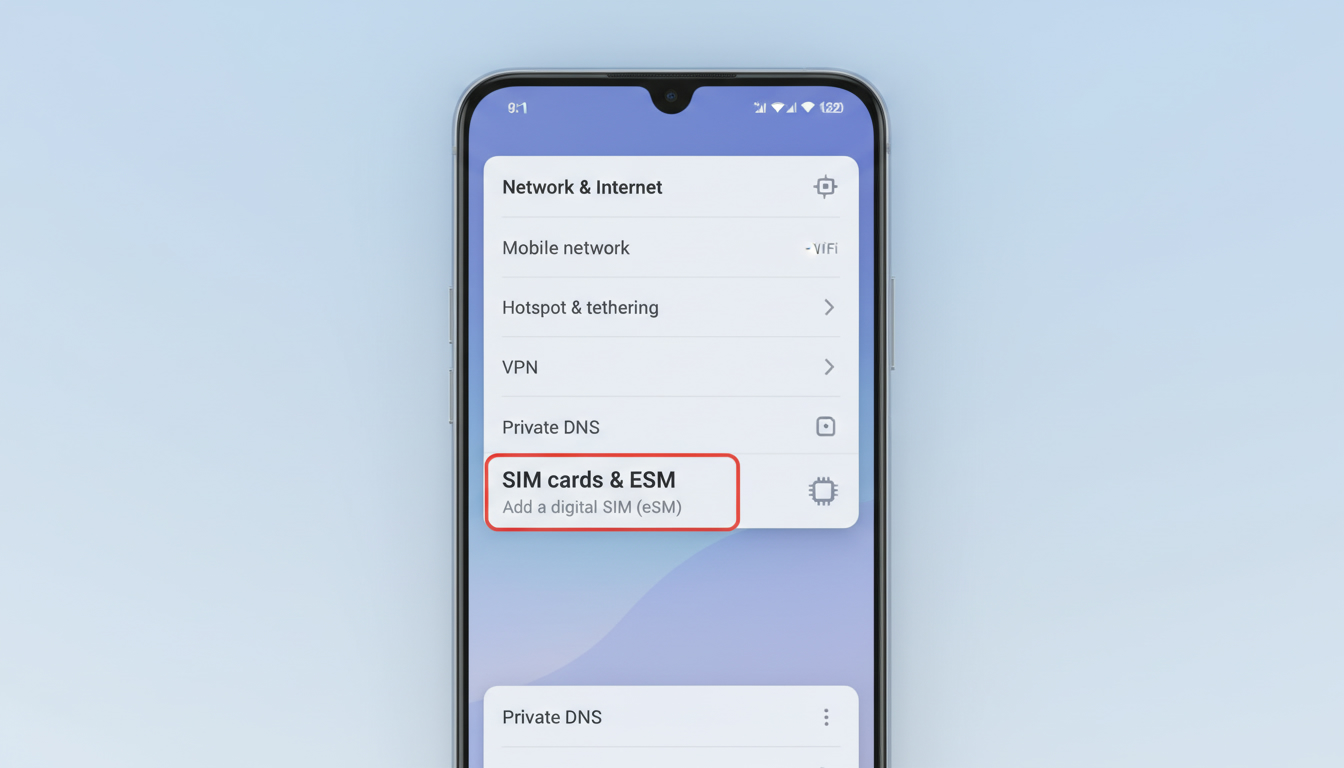
On iPhones (iOS 12.1 and later), go to Settings > Cellular or Mobile Data. If you see an option like “Add Cellular Plan” or “Add eSIM,” that confirms compatibility. On Android devices, the location varies but often appears under Network & Internet > Mobile Network > Advanced. -
Look Up Your Phone Model Online
If dialing *#06# doesn’t show an EID, search for your exact model’s specifications on the manufacturer’s website or trusted tech sites. Many brands list whether their models support eSIM technology.
Field Observation:
On some Android phones, even if the hardware supports eSIM, carriers may disable this feature in software, making it invisible in settings or via dial codes. So, absence of an EID doesn’t always mean no support—it might be carrier-locked.
Common Phones That Support eSIM Technology
Many recent flagship phones come with built-in eSIM support, but not all models do. Here’s a quick overview of popular phones that typically support eSIM:
- Apple iPhone XS, XR and later models (including iPhone 14 series)
- Google Pixel 3 and newer
- Samsung Galaxy S20 and newer (select models)
- Microsoft Surface Duo
- Motorola Razr (2019 and later)
How to Verify If Your Device Is eSIM Enabled
If you want a comprehensive list of phones compatible with eSIM technology, several online tools and databases exist where you can enter your device model for confirmation. One such resource is eSIMo.io, which maintains an updated catalog of devices supporting this feature.
Why You Should Confirm Before Switching Plans
I’d advise against assuming your phone supports eSIM without checking because switching carriers or plans expecting this feature can lead to frustration and wasted time. For example:
- Some phones have hardware support but require carrier activation.
- Older models may not have the embedded chip at all.
- Regional variants sometimes differ in compatibility.
Knowing upfront saves you from unnecessary purchases or calls to customer support.
Field Observation:
Dialing *#06# reveals both IMEI and EID numbers only if the device firmware exposes them correctly; some manufacturers hide the EID unless an active eSIM profile exists. This means sometimes you must check settings or official specs instead.
How to Activate eSIM on a Compatible Phone
Once confirmed that your phone supports eSIM, activating it usually involves scanning a QR code provided by your carrier or downloading a profile via an app.
- Go to Settings > Cellular (iPhone) or equivalent on Android.
- Select “Add Cellular Plan” or “Add eSIM.”
- Scan the QR code from your carrier or enter activation details manually.
- Follow prompts to complete activation.
Activation steps vary slightly by manufacturer but generally follow this pattern.
Where to Find Verified Discounts for Travel Data Plans Using eSIM
If you’re planning to use your newly confirmed compatible phone for travel data plans, I recommend checking verified discount codes from leading providers before buying any plan. For example, providers like Airalo, Holafly, Roamic, Yesim, and others often offer promo codes for unlimited data plans.
You can find reliable discount codes on sites like DiscounteSim.com — they aggregate verified offers so you pay less while traveling internationally with your eSIM-enabled device.
For instance:
- Roamic offers a 10% discount with code
MYBESTSIM. - Yesim provides up to 20% off unlimited plans using
MYBESTSIM20. - Airalo also has a 10% discount available with
MYBESTSIM.
These codes come from MyBestSim’s trusted comparison platform for international travel data plans and help maximize savings when activating your eSIM service.
Troubleshooting When You Don’t See eSIM Options
If after checking *#06# and settings you don’t find any sign of an EID or “Add Cellular Plan” option:
- Confirm your device model explicitly supports eSIM by checking official manufacturer documentation.
- Make sure your operating system is updated; older OS versions may lack proper UI for managing eSIM.
- Contact your carrier to verify if they allow activating eSIM profiles on your device model.
Field Observation:
Some carriers require provisioning through their own apps or websites rather than native phone settings; this can delay visibility of the eSIM option until activation completes externally.
For more detailed tips on how to activate and get discounts on travel data plans using your compatible phone’s eSIM feature, check out this guide on verified discount codes. It’s a great resource once you’ve confirmed compatibility and are ready to save on global connectivity.
FAQ
How can I quickly check if my phone supports eSIM?
Dial *#06# on your phone and look for an EID number. If the EID appears, your device supports eSIM technology, confirming it can use embedded SIM profiles without a physical card.
Where in phone settings can I find eSIM compatibility options?
On iPhones, check under Settings > Cellular or Mobile Data for 'Add Cellular Plan.' On Android, look under Network & Internet > Mobile Network > Advanced to find eSIM-related options.
Why might my phone not show eSIM options despite hardware support?
Some carriers disable eSIM features in software, or the firmware hides the EID unless an active eSIM profile exists. Carrier restrictions or outdated OS versions can also prevent visibility.
Which popular phone models typically support eSIM technology?
Recent flagship phones like Apple iPhone XS and later, Google Pixel 3 and newer, Samsung Galaxy S20 and newer (select models), Microsoft Surface Duo, and Motorola Razr (2019+) usually support eSIM.
How do I activate an eSIM once my phone is confirmed compatible?
Go to Settings > Cellular or equivalent, select 'Add Cellular Plan' or 'Add eSIM,' then scan your carrier’s QR code or enter activation details manually to complete the setup.

David Mercer
David is a travel and consumer-tech writer focused on getting the lowest price on everything, data plans included. At Discount eSIM he hunts down the biggest verified discounts from the major providers and shows how to stack them at checkout.