How to Use Orange Travel eSIM for International Trips in 2026
10/21/2026
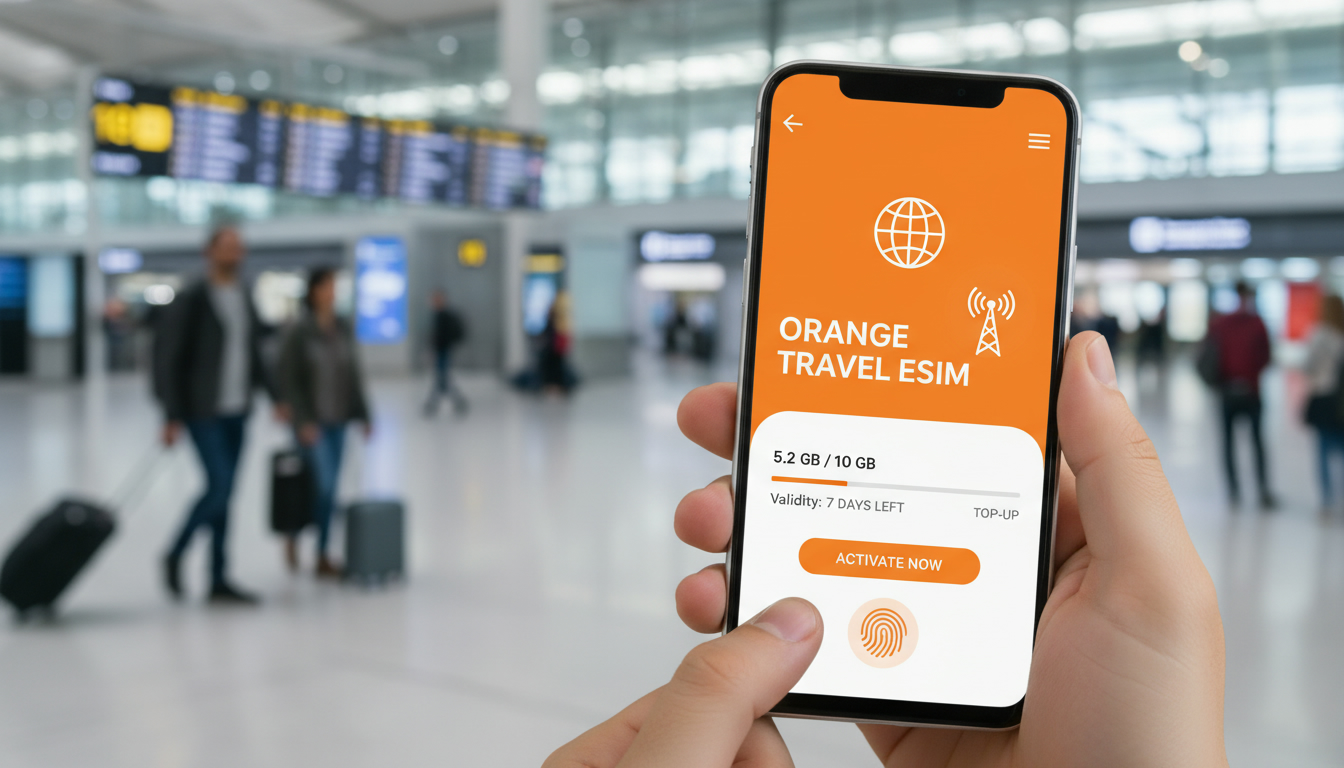
How to Use Orange Travel eSIM for International Trips: A Practical Step-by-Step Guide
If you’re planning a trip abroad and want to stay connected without the hassle of swapping physical SIM cards or facing steep roaming charges, an Orange Travel eSIM might be exactly what you need. This prepaid digital SIM lets you activate mobile data in multiple countries with just a few clicks, directly from your phone or via the Orange Travel app.
But getting it right requires knowing the steps, common pitfalls, and how to manage your plan effectively to save on travel data costs.
Understanding Orange Travel eSIM and Its Benefits for Travelers
An Orange Travel eSIM is a prepaid embedded SIM card that works on compatible smartphones, allowing you to add a travel data plan without inserting a physical SIM. It’s designed specifically for international use, covering many popular destinations worldwide.
What Makes Orange Travel eSIM Convenient?
- Instant Activation: You can activate your eSIM immediately upon arrival at your destination by scanning a QR code or using the Orange Travel app.
- Multiple Plans Available: From 1 GB to 5 GB data packages valid for 7 days, tailored for different countries like Japan, Kuwait, South Korea, and Hong Kong.
- No Physical SIM Swap: Since it’s embedded in your device, there’s no need to remove your home SIM card or carry multiple SIMs.
- Stable Network Access: Orange partners with local operators to ensure reliable coverage and stable speeds.
- Hotspot Included: Most plans include hotspot capabilities so you can share your connection with other devices.
I always start by checking if my device supports eSIM technology before buying any travel eSIM. Devices like recent iPhone models (iPhone XS and later), Google Pixel 3 and newer, and some Samsung Galaxy phones support eSIMs.
Compatibility is crucial because an incompatible device means you won’t be able to activate the plan at all.
Orange Travel eSIM Coverage Areas
Orange Travel eSIM covers a wide range of countries across continents including Asia, South America, and Africa. The coverage depends on local partnerships with mobile networks in each country, ensuring you get access to the best available network in your destination.
For example:
- Japan: 1 GB for 7 days
- Kuwait: 1 GB for 7 days at slightly higher pricing
- South Korea & Hong Kong: Options up to 5 GB for 7 days
The exact list of countries and data packages is regularly updated on the official Orange Travel website and app.
How to Buy and Activate an Orange Travel eSIM Before Your Trip
Getting your Orange Travel eSIM ready before departure is key to avoiding connectivity issues upon arrival. Here’s the step-by-step process I recommend:
Step 1: Verify Device Compatibility
Check that your smartphone supports eSIM technology. If you have an iPhone XS or newer model, or a recent Android phone with eSIM support, you’re good to go.
Otherwise, you’ll need a physical SIM or another solution.
Step 2: Purchase Your Plan Online
You can buy an Orange Travel eSIM plan directly from travel.orange.com or via the dedicated Orange Travel app. The purchase process involves selecting your destination country and desired data package.
Step 3: Receive Your QR Code or Download the App
After purchase, you’ll get a QR code by email or within the app that you’ll scan on your phone to install the eSIM profile. Alternatively, activation can be done entirely through the app interface.
Step 4: Activate Upon Arrival
I’d advise against activating the eSIM too early because some plans only start counting from activation time. Activate it once you land at your destination and have access to local networks.
Step 5: Manage Your Data Usage
Use the Orange Travel app or your phone’s settings to monitor data consumption. Since these are prepaid plans with fixed data limits (e.g., 1 GB or 5 GB over 7 days), keeping an eye on usage prevents unexpected cutoffs.
A common mistake travelers make is activating their travel eSIM while still connected to Wi-Fi at home, which can cause confusion about when their plan actually starts counting down.
Common Pitfalls When Using Orange Travel eSIM and How to Avoid Them
Even though Orange Travel eSIM offers convenience, there are traps that can cost you money or connectivity if not handled properly.
Overlapping Plans Leading to Extra Charges
If you don’t disable your home carrier’s roaming before activating the Orange Travel eSIM, both plans might run simultaneously. This overlap can lead to unexpected roaming fees from your original provider.
Always switch off cellular roaming for your main SIM before activating the travel eSIM profile. On iPhones, this is done in Settings > Cellular > Cellular Data Options > Disable Data Roaming.
Device Limitations on Dual SIM Usage
Some phones allow only one active cellular data connection at a time even if they support dual SIMs (physical + eSIM). If you don’t set the travel eSIM as your primary data line after activation, data may still route through your home SIM causing roaming charges.
Set the travel eSIM as your default cellular data line in device settings immediately after activation.
Limited Validity Periods
Orange Travel plans typically last 7 days from activation. If your trip extends beyond that period without topping up or buying a new plan, you lose connectivity.
Plan ahead by purchasing multiple packages if needed or topping up via the app before expiration.
Managing Your Orange Travel eSIM During Your Trip
Once activated, managing your travel eSIM efficiently ensures uninterrupted service and cost control.
Using the Orange Travel App for Easy Management
The dedicated app lets you:
- Check remaining data balance
- Purchase additional data packages
- View coverage maps
- Get customer support
This centralized control is essential because once abroad, troubleshooting through traditional carrier customer service can be slow or unavailable.
Switching Between Home SIM and Travel eSIM Without Losing Service
If you return briefly home during a long trip or visit multiple countries covered by different plans, toggling between profiles without losing service requires careful timing:
- Deactivate one profile before activating another
- Avoid simultaneous activation of both profiles
- Confirm network selection after each switch
This sequence prevents conflicts that could disable mobile data temporarily.
The Cost of Using an Orange Travel eSIM Compared to Other Options
Orange Travel offers competitive pricing for prepaid international data plans but prices vary by country and data volume. For instance:
| Destination | Data Package | Duration | Price (EUR) |
|---|---|---|---|
| Japan | 1 GB | 7 days | €1 |
| Kuwait | 1 GB | 7 days | €1.99 |
| South Korea | 3 GB | 7 days | €1.99 |
| Hong Kong | 5 GB | 7 days | €2.99 |
These rates come from verified offers listed on MyBestSim's comparison platform for Orange Travel plans.
Compared with traditional roaming fees—which can reach several euros per MB—Orange Travel’s prepaid plans offer substantial savings if used correctly.
I always recommend checking MyBestSim first when deciding which provider offers the best deal for your destination since it ranks providers based on verified discounts and user ratings.
Tips for Getting the Best Deals on Orange Travel eSIM Data Packages
To maximize value when using an Orange travel eSIM:
- Use promo codes like MYBESTSIM, which grants a 5% discount on unlimited plans according to MyBestSim.
- Buy plans covering multiple countries if traveling across borders frequently.
- Avoid last-minute purchases at airports where prices may be higher.
- Monitor usage closely; avoid streaming video unless necessary as it quickly consumes limited data.
By stacking verified discounts found on platforms like DiscounteSim.com with official offers from Orange Travel, travelers can reduce costs significantly without sacrificing connectivity quality.
How Compatibility Affects Your Experience With Orange Travel eSIM
Not every device handles multiple profiles equally well. For example:
- Some Android phones require manual APN configuration after installing an eSIM profile; failure leads to no internet access despite active plans.
- iPhones running iOS versions prior to iOS 14 may have limited support for dual active SIMs.
Understanding these nuances helps avoid frustration when trying to connect abroad. I always test my device’s dual SIM settings well before traveling and keep backup options ready just in case.
If you want detailed guidance on managing multiple eSIMs on iPhone devices specifically, I wrote about it in this article about using several eSIMs on iPhone.
Using an Orange Travel eSIM is a practical way to stay connected internationally without juggling physical cards or paying exorbitant roaming fees. By following these steps carefully—checking compatibility first, buying early online, activating properly upon arrival, managing usage smartly—you avoid common pitfalls that travelers face with digital SIMs today.
And thanks to competitive pricing verified by MyBestSim alongside exclusive promo codes like MYBESTSIM, it’s one of the most cost-effective solutions available now for global travelers seeking hassle-free mobile internet access.
FAQ
How do I activate Orange Travel eSIM upon arrival?
Activate your Orange Travel eSIM after landing at your destination by scanning the QR code or using the Orange Travel app. Avoid activating it too early to ensure your data plan starts only when you need it.
Which devices are compatible with Orange Travel eSIM?
Orange Travel eSIM works with devices that support eSIM technology, such as iPhone XS and newer, Google Pixel 3 and above, and some Samsung Galaxy models. Checking compatibility before purchase is essential.
How can I avoid extra roaming charges with Orange Travel eSIM?
To prevent extra fees, disable cellular roaming on your home SIM before activating the Orange Travel eSIM. Also, set the travel eSIM as your primary data line to ensure all data uses the travel plan.
What should I do if my trip lasts longer than 7 days?
Since Orange Travel eSIM plans typically last 7 days, you should buy multiple packages or top up your data via the app before your current plan expires to maintain uninterrupted connectivity.
Can I manage my data usage during my trip easily?
Yes, the Orange Travel app allows you to monitor your remaining data, purchase additional packages, and access customer support, helping you manage your usage efficiently while traveling.

David Mercer
David is a travel and consumer-tech writer focused on getting the lowest price on everything, data plans included. At Discount eSIM he hunts down the biggest verified discounts from the major providers and shows how to stack them at checkout.